
Kalshi
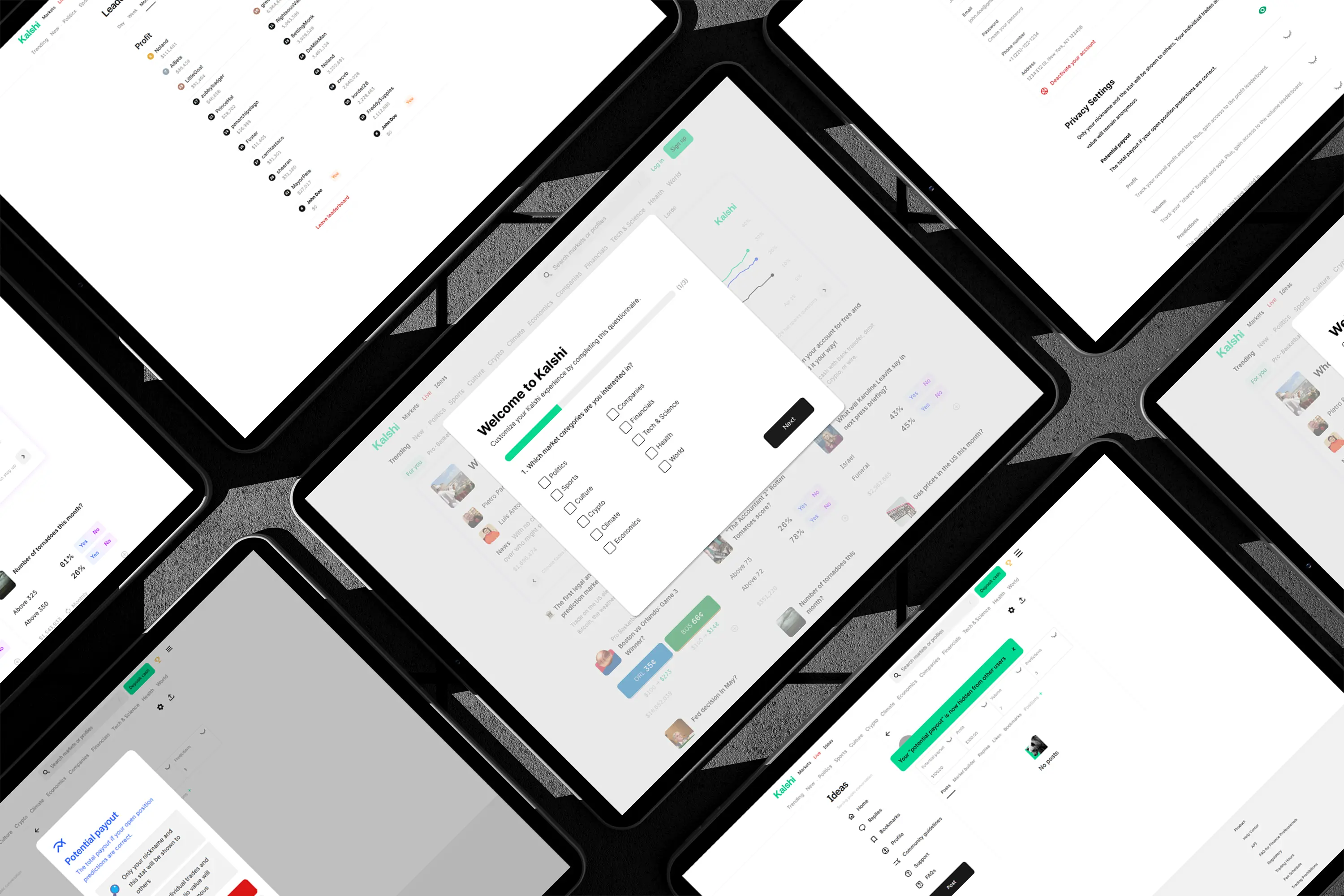

Usability Study
The usability study was conducted to understand how both inexperienced and experienced users interact with the Kalshi trading platform, and to identify usability issues that affect navigation, trust, and task completion. The goal was to evaluate how easily users could complete key actions such as finding contracts, managing privacy settings, and adding funds, and to uncover barriers related to terminology, findability, and security concerns.
The usability study used a qualitative, task-based methodology to evaluate how users interact with the Kalshi platform, focusing on navigation, trust, and task completion. Three participants with varying levels of trading experience were interviewed remotely via Microsoft Teams, where their screens and verbal feedback were recorded during semi-structured usability sessions.
Task 1: Finding and Selecting an Event Contract
Participants were asked to locate and select a specific event contract using any navigation method available, such as browsing categories, using search, or scrolling the homepage. This task evaluated how easily users could discover contracts and revealed issues with navigation clarity and findability.
Task 2: Accessing Privacy Settings
Participants were asked to find where they could hide their trading data, including profit, volume, and predictions, without guidance. This task assessed whether privacy controls were discoverable and intuitive, revealing confusion about where such settings were located.
Task 3: Account Creation and Adding Funds
Participants walked through the account creation and fund-adding process while sharing their thoughts aloud. This task examined user comfort, trust, and clarity when providing sensitive personal and financial information.
Major Findings
Affinity Diagram & User Personas
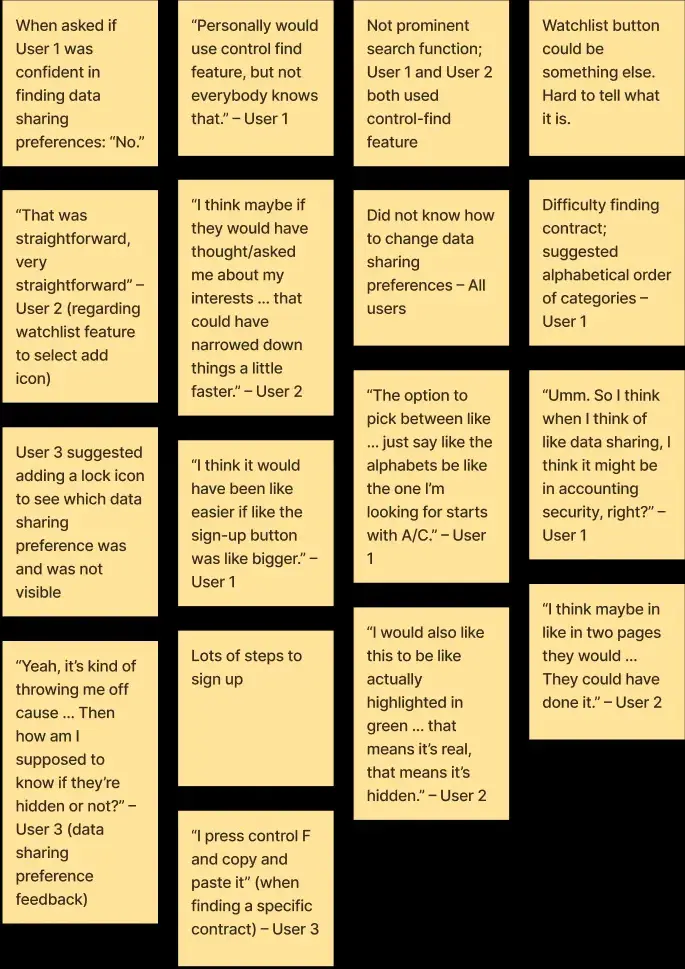
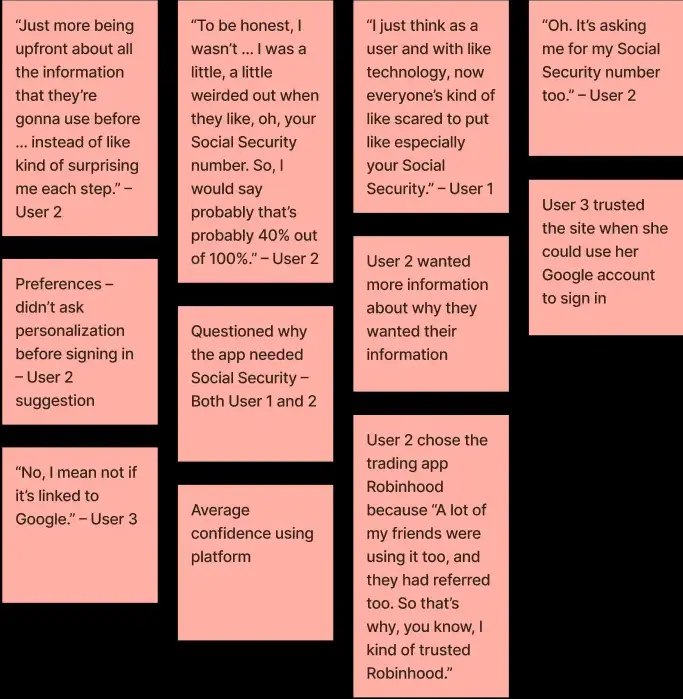
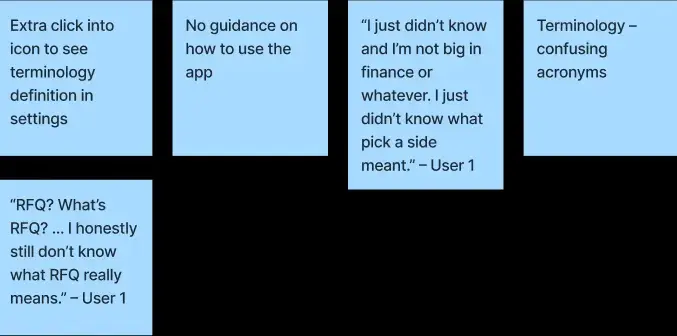
The main problems identified in our three interviews was that inexperienced traders struggled to navigate the Kalshi app due to unclear terminology, poor findability of key features and relevant contracts, and lack of transparency around security and privacy controls. Users had difficulty locating contracts, understanding financial terms, and finding essential settings such as how to hide trading data, often requiring guidance to complete basic tasks. Additionally, users expressed discomfort with providing sensitive information like Social Security numbers without clear explanations, which reduced trust in the platform. These usability and trust issues make the platform feel confusing and intimidating, limiting accessibility and confidence for new users.
Navigation & Findability
Security & Trust
Terminology

Chris Wilson
Age: 26
Gender: Male
Job: Day Trader
Trading Experience: Experienced
Trading User Group: Experienced Day Trader
Chris is a day trader, an individual who buys and sells financial assets, such as stocks, options, or currencies, within the same trading day.
Motivations
- Chris wants to become financially free.
- Chris wants the finer things in life.
Goals
- Chris wants to build his net worth through trading.
- He desires to be a millionaire.
Constraints
- High Pressure: Trading can include significant financial risks and cause emotional stress if trades don’t go as planned.
- Constant Monitoring: Day traders must monitor price movements and make quick decisions.
Frequency of Performing Tasks
- Chris logs in every day to trade contracts.
- He makes his money from day-to-day shifts in the prices of contracts.
Frustrations
- Chris is frustrated with the simplicity of the app.
- It does not provide enough information to make informed decisions.
Quote: “I want to be financially free and not work for anyone!”

Camilla Moore
Age: 28
Gender: Female
Job: Project Manager
Trading Experience: Inexperienced
Trading User Group: Inexperienced Investor
Camilla is a 28-year-old project manager. She is an inexperienced trader who would like to begin investing. She is looking for a beginner friendly trading app.
Motivations
- Camilla wants to become financially literate.
- Camilla wants to diversify her portfolio.
Goals
- Learn how to use a trading app for prediction markets to make her first trade.
- Build financial literacy to become more confident when making trades.
Constraints
- Timing: Camilla has many priorities outside of work and needs a quick, efficient app tutorial to save time.
Frequency of Performing Tasks
- Learning: Camilla expects to log in frequently during the first few days after downloading a trading app to learn how to use features, find help information, and personalize her settings.
Frustrations
- She is overwhelmed by new terminology.
- She finds acronyms difficult to understand and has low confidence when purchasing her first contract.
- She has trouble finding guides or tutorials explaining how to use the app.
Quote: “I want to start investing but I wish I understood the terminology!”
Paper Prototype
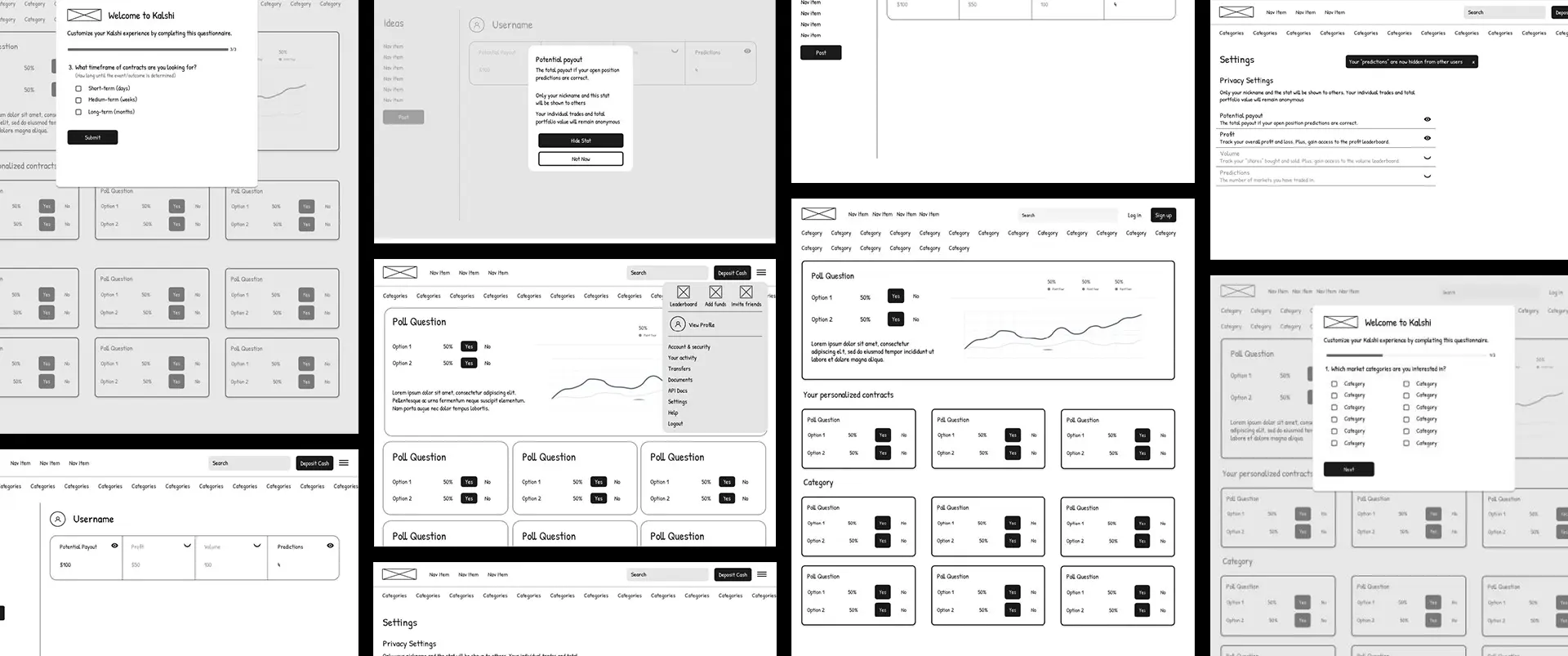
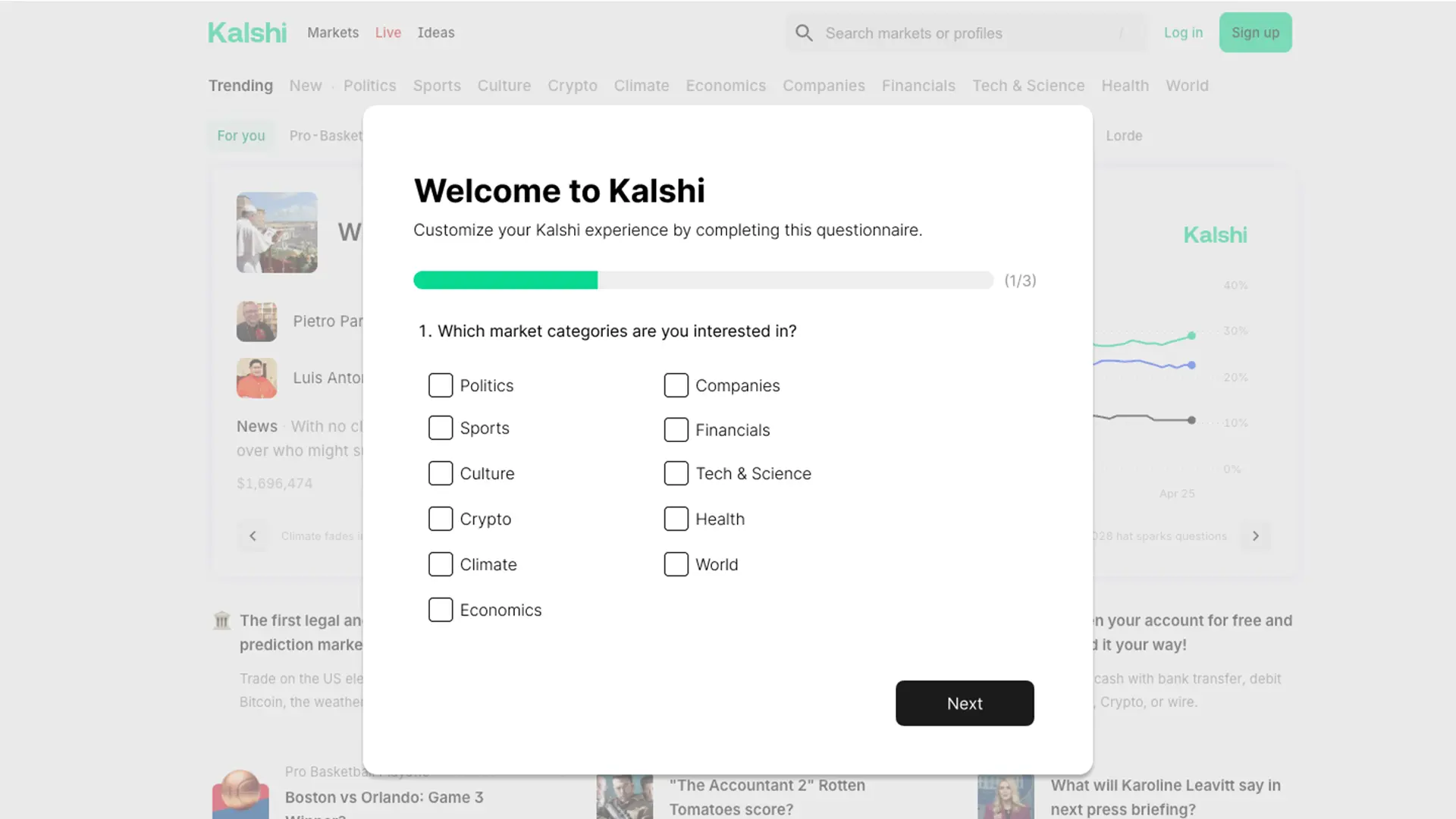
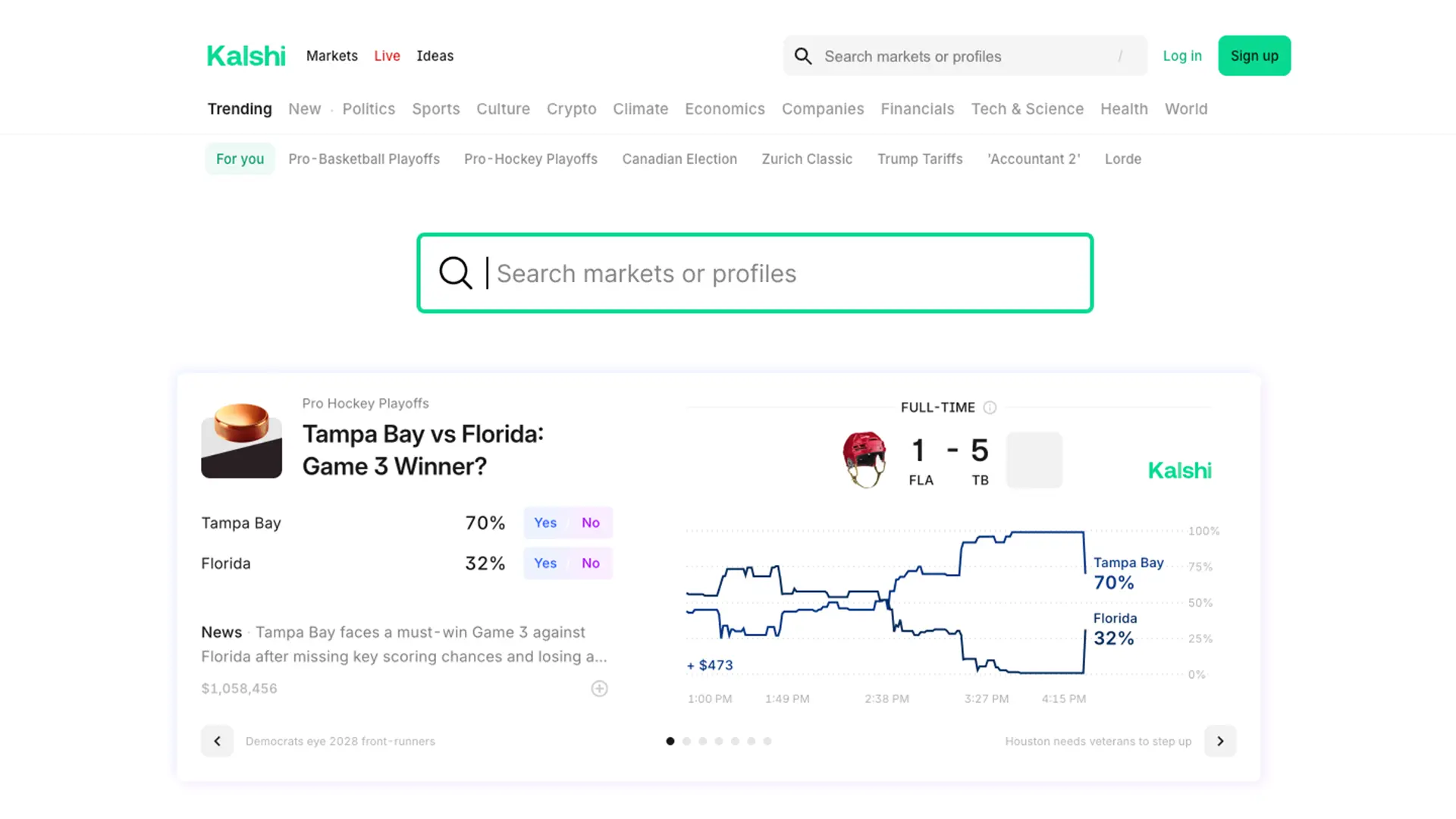
The goal of this paper prototype was to address usability challenges faced by traders using the Kalshi app. The prototype's goal was to improve usability and trust for both new and experienced users by addressing problems identified through prior user research and usability testing. To address these issues, the prototype includes a personalized onboarding questionnaire to improve contract relevancy, a more prominent search bar to support efficient contract discovery, and redesigned privacy and security settings that are easier to find and understand.
Non-User Evaluation
Personalized Onboarding Questionnaire
- A short questionnaire shown after signup
- Gathers user interests, risk tolerance, and time horizons
- Generates a new “personalized for you” section on the homepage
- Uses progress indicators and confirmation screens to provide feedback and reduce confusion
Improved Contract Findability
- A larger, more prominent search bar placed directly on the homepage
- Allows users to quickly search for specific event contracts instead of browsing long category lists
- Reduces cognitive load and time spent navigating the platform
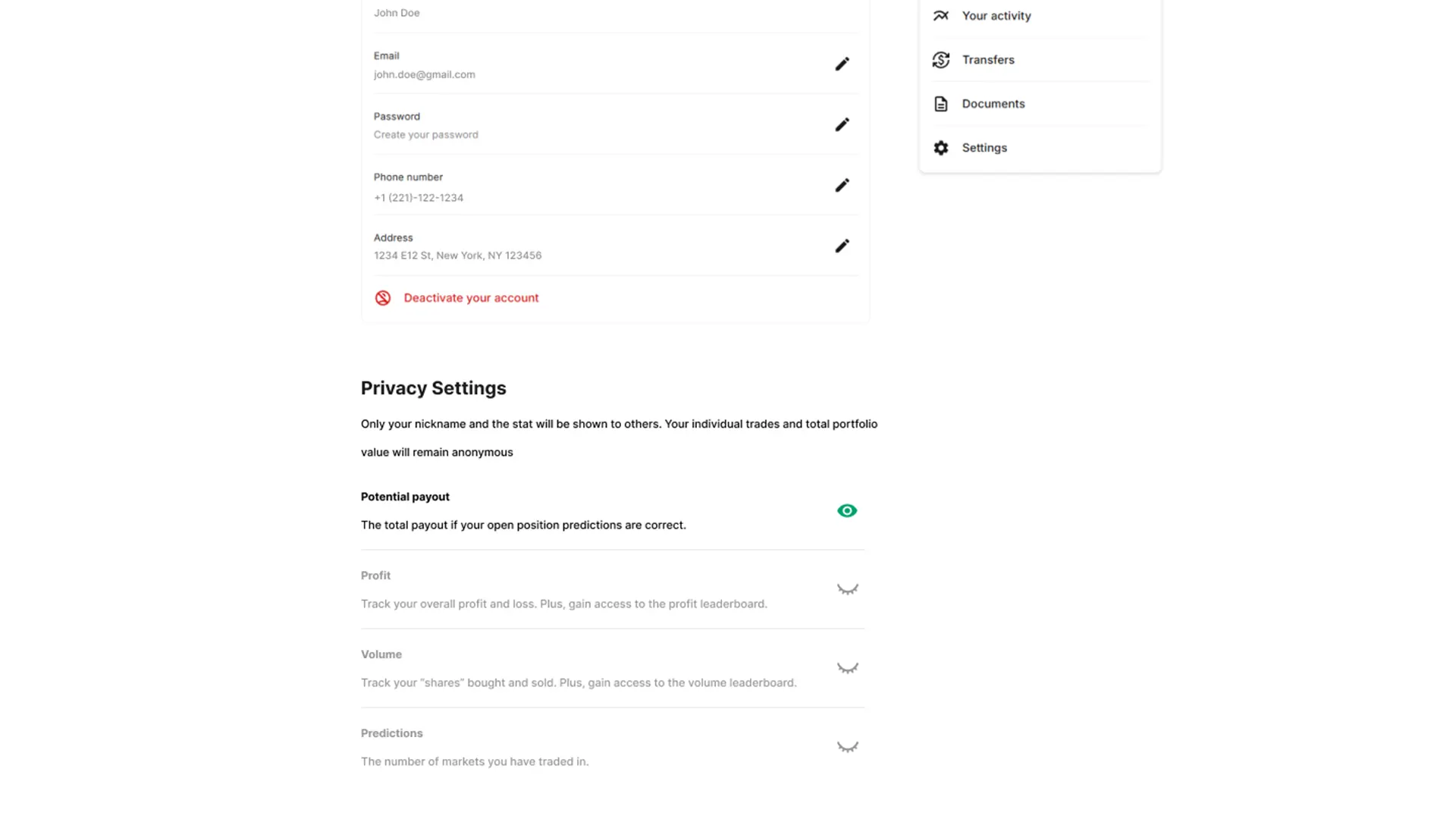
Consolidated Privacy & Security Settings
- Fixes confusion around where privacy controls live
- Adds clearer access to profiles and settings via the hamburger menu
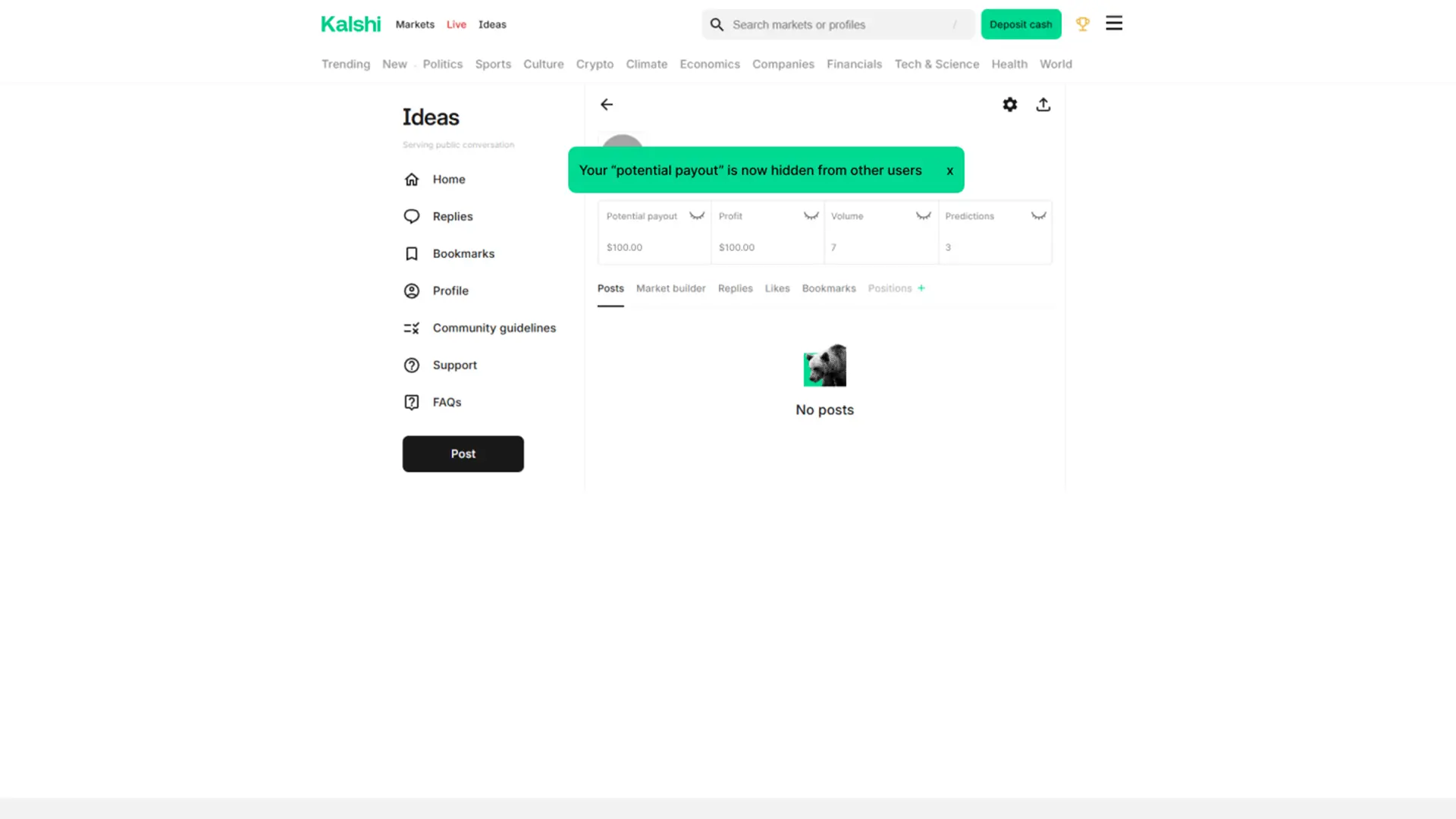
- Introduces eye icons to show/hide trading stats with immediate visual feedback
- Replaces vague “info” icons with short, plain-language explanations under each setting
Non-User Evaluation: Key Findings
The evaluation revealed several moderate to severe usability issues that could negatively impact user confidence and task completion.
Personalized Onboarding Questionnaire
- Evaluators struggled with unclear investing terminology (e.g., risk levels), leading to confusion and potential misinterpretation of questions.
- The questionnaire did not allow users to go back and revise previous answers, which caused frustration and increased the risk of incorrect personalization.
- Allowing users to select too many categories reduced the effectiveness of personalization and made the onboarding feel less meaningful.
Improved Contract Findability
- Search results could be incomplete or misleading because personalization filters based on risk tolerance sometimes hid relevant contracts.
- Evaluators expressed concern that users might assume no relevant contracts existed when results were filtered out.
- Despite this, the overall search flow was intuitive, and a large, prominent search bar was seen as beneficial for both novice and experienced users.
Consolidated Privacy & Security Settings
- Evaluators were uncertain whether hiding financial statistics actually worked because they could not see their profile from another user’s perspective.
- Privacy controls were not where users expected them to be, creating confusion and increasing cognitive load.
- Feedback confirmed an action occurred but did not clearly communicate its real-world impact (i.e., what other users actually see).
User Evaluation
Following the non-user evaluation, the team incorporated the evaluators’ feedback to refine the prototype and address the most critical usability issues. The redesigned interface was then tested with real participants to validate whether the design changes improved usability and user trust.
Research Objectives, Tasks & Hypotheses
- Onboarding Personalization
- Hypothesis: Users who completed a personalized onboarding questionnaire would report higher satisfaction with contract recommendations than users who did not.
- Task: Complete the questionnaire and locate a personalized contract on the homepage.
- Search Findability
- Hypothesis: A more prominent homepage search bar would reduce time and number of clicks needed to find a specific contract.
- Task: Find a specific event contract using the redesigned search bar.
- Privacy & Security Navigation
- Hypothesis: Providing two access paths to privacy settings (Profile and Settings) would improve task success rates and reduce time spent locating privacy controls.
- Task: Locate and adjust privacy controls to hide trading information.
Participants
- 6 participants, targeting inexperienced traders (less than two years of trading experience)
- Ages 21–35, representing Kalshi’s typical user base
- Balanced gender representation
- Inexperienced traders were prioritized because they were most affected by the usability issues
Experimental Design
- Between-subjects design to avoid learning and carryover effects
- Participants interacted with either the original Kalshi interface or the redesigned prototype, not both
- This ensured first-time discoverability and realism, especially for onboarding and navigation tasks
Quantitative (Metrics & Data Collection)
- System Usability Scale (SUS) to measure usability
- Customer Satisfaction (CSAT) to measure success
- Task completion time (seconds)
- Success vs. failure of task completion
- NASA TLX to measure cognitive workload
- Number of clicks
Qualitative (Metrics & Data Collection)
- Post-task interviews
- Likert-scale satisfaction ratings
- Open-ended feedback on likes, dislikes, and improvement areas
User Evaluation: Key Findings
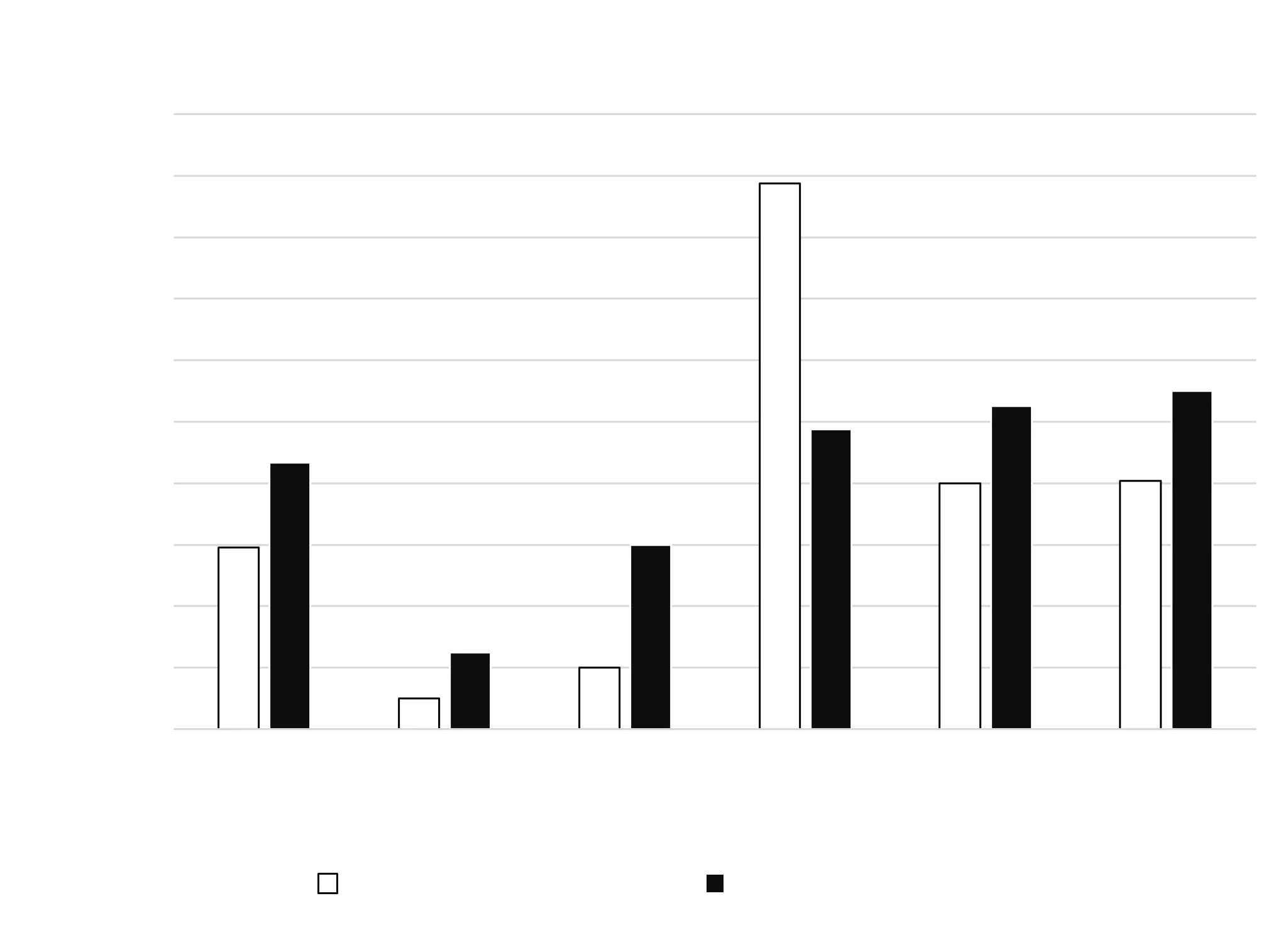
Personalized Questionnaire Results
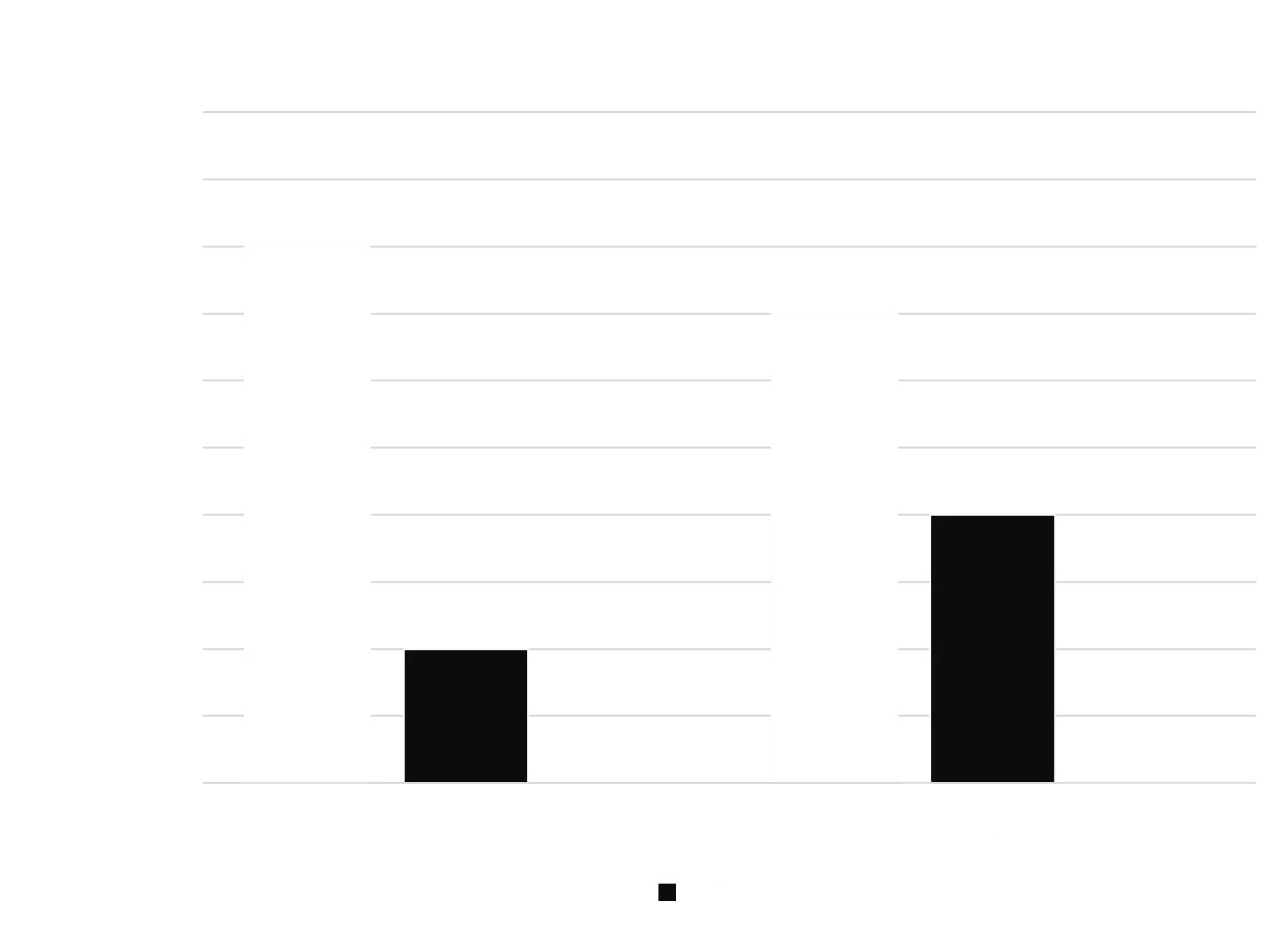
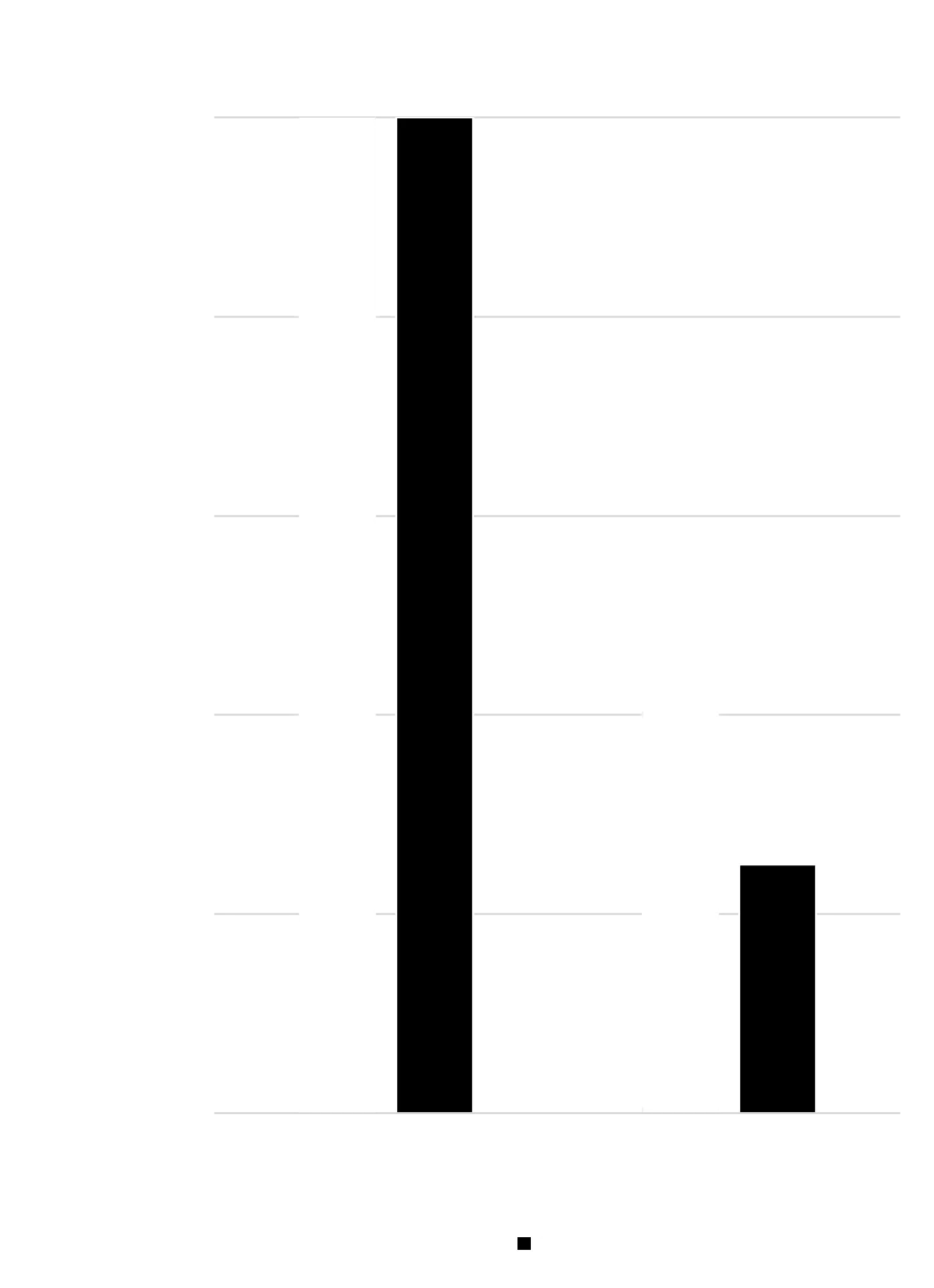
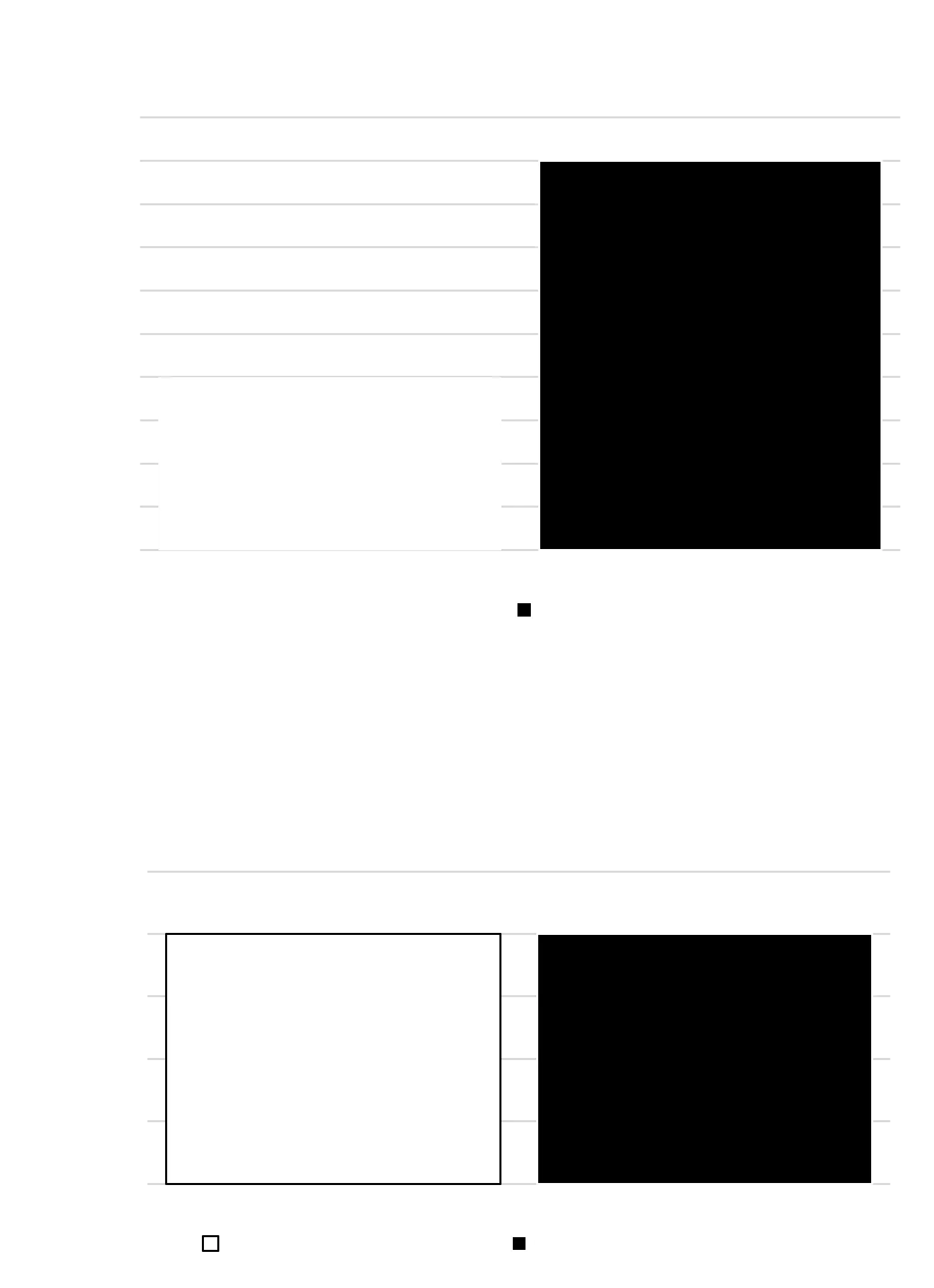
Search Functionality Results
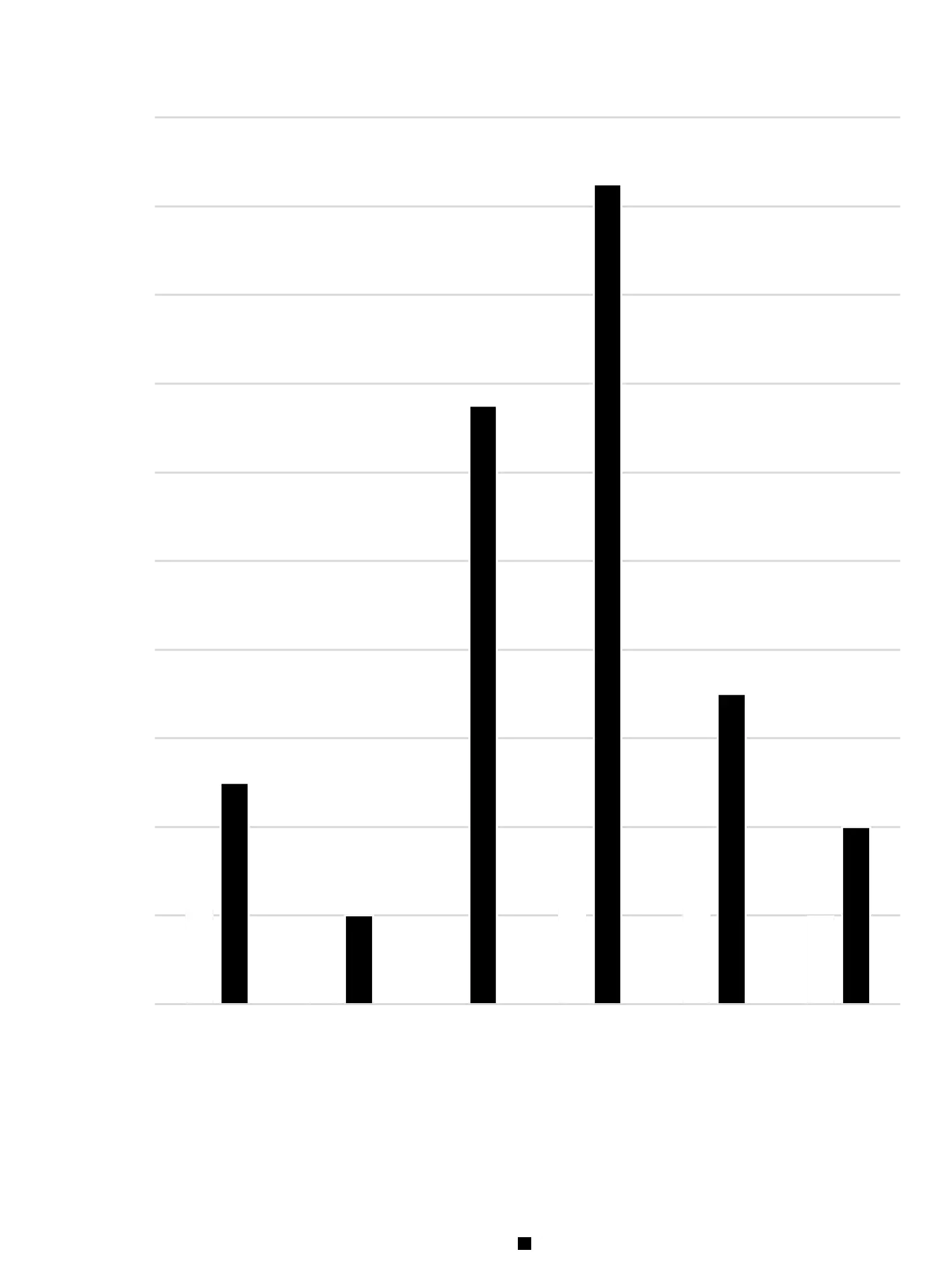
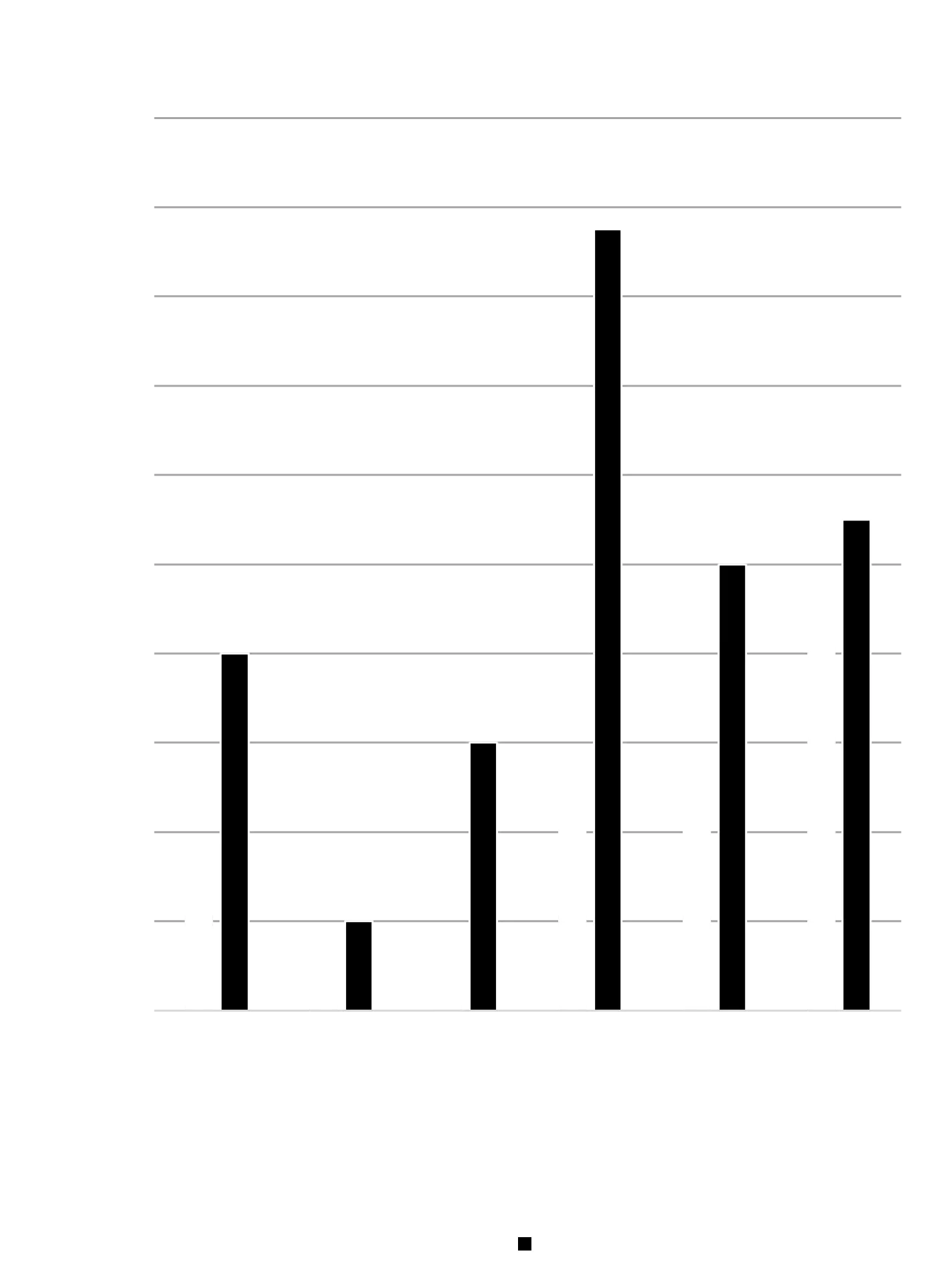
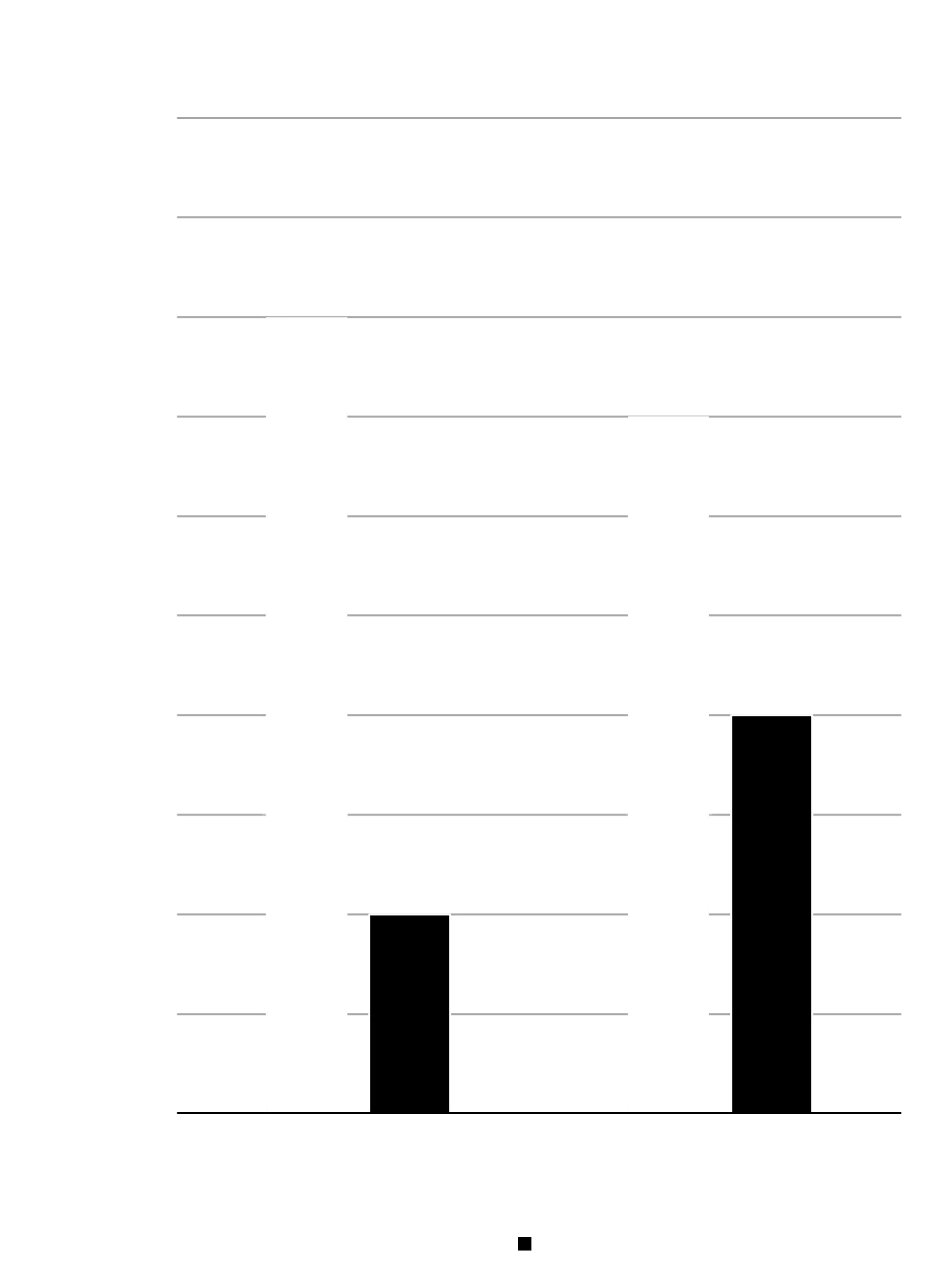
Privacy Settings Results
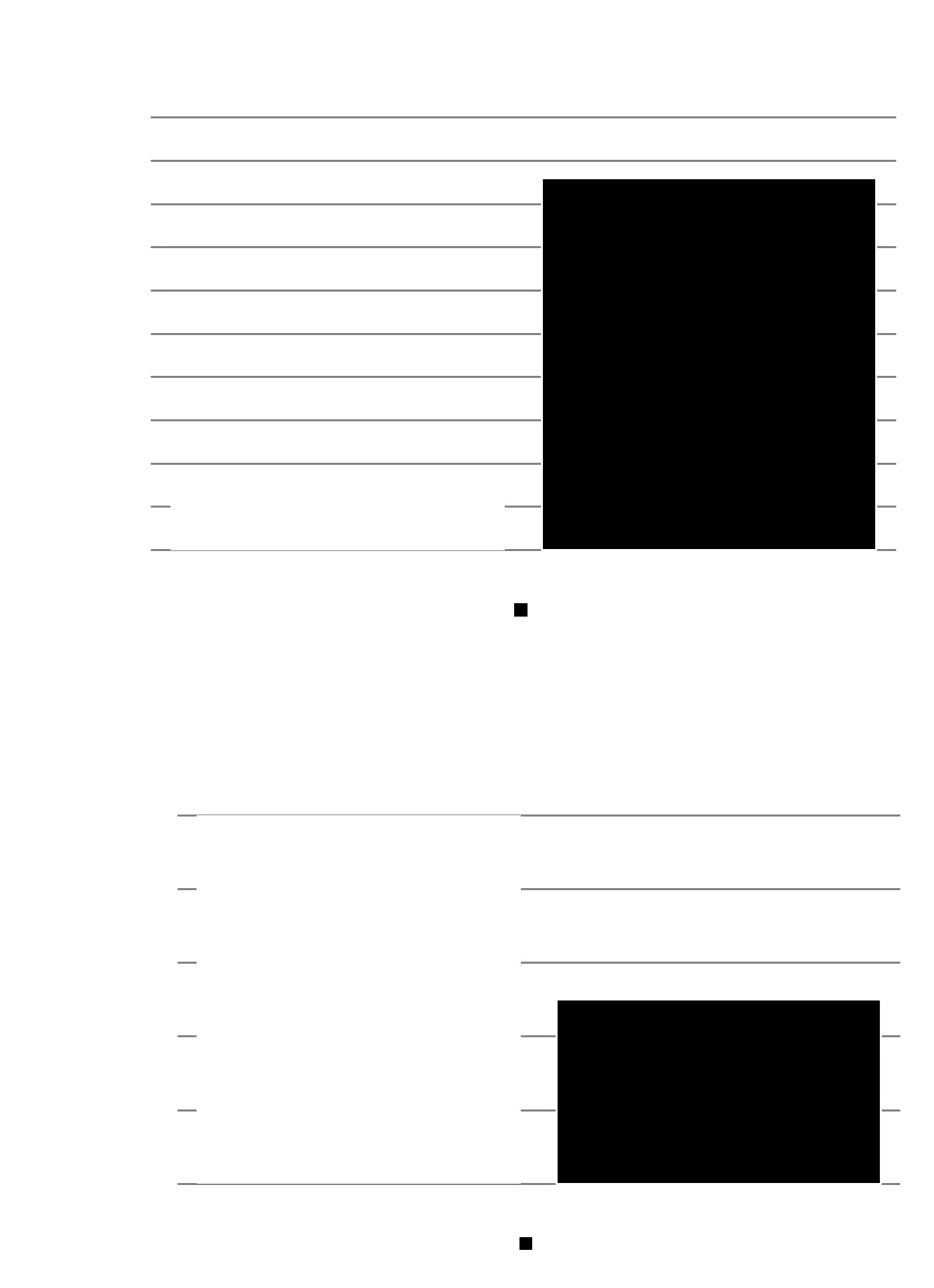
System Usability Scale (SUS) Results
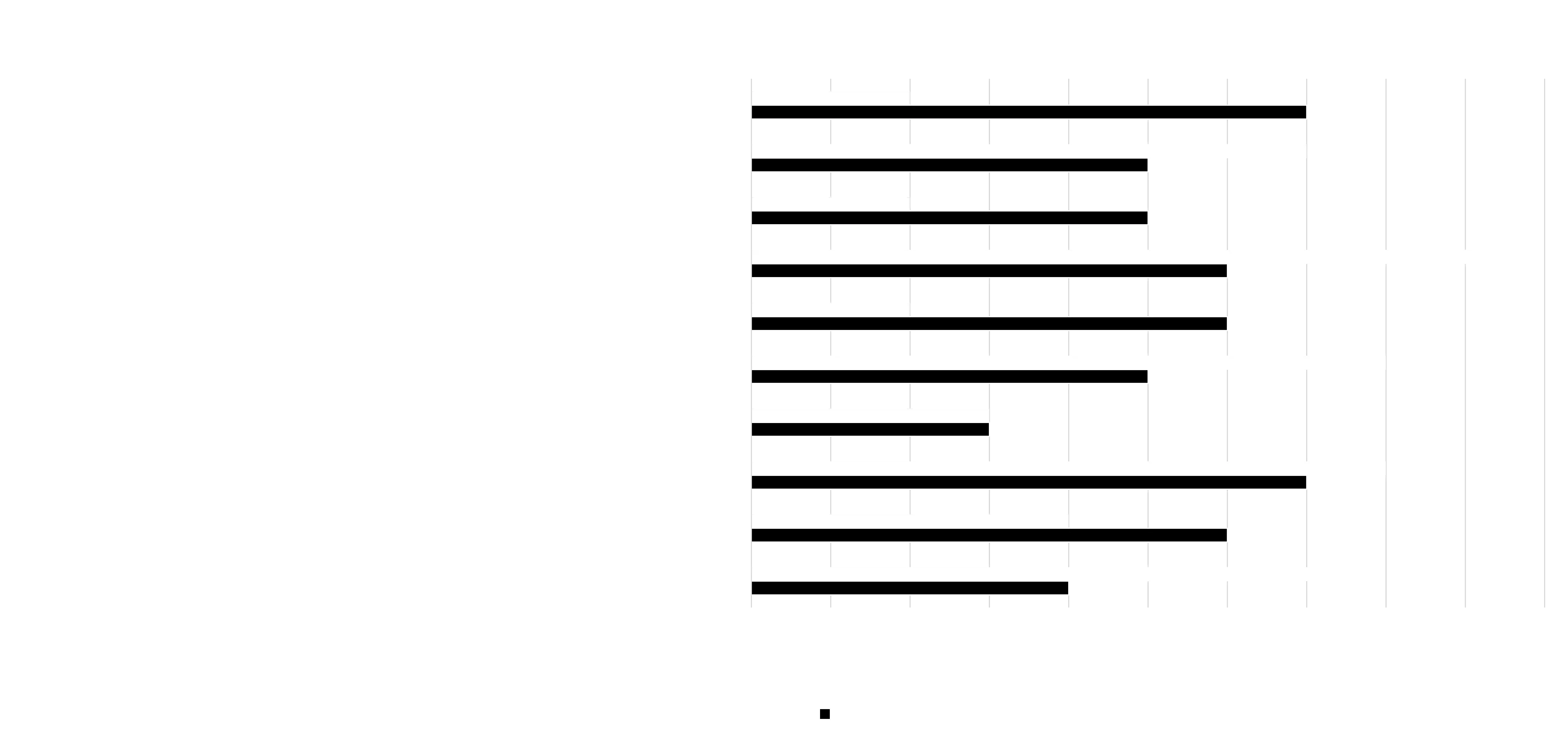
Personalized Onboarding Questionnaire
- Users who completed the personalized onboarding questionnaire reported higher satisfaction with contract relevance and ease of findability than those using the original interface.
- NASA-TLX results showed lower cognitive workload, indicating that the questionnaire reduced mental effort rather than adding friction.
- Participants felt the onboarding experience helped narrow down content more quickly, supporting the hypothesis that personalization improves discoverability and confidence.
Improved Contract Findability
- The redesigned, more prominent search bar led to fewer clicks and faster task completion times when locating specific event contracts.
- CSAT scores indicated higher satisfaction with the search experience.
- NASA-TLX scores were lower, suggesting reduced effort and frustration during search tasks.
Consolidated Privacy & Security Settings
- Users completed privacy-related tasks faster and with higher success rates using the redesigned interface.
- Dual navigation paths (Profile + Settings) aligned better with user expectations and reduced confusion.
- Both CSAT and NASA-TLX results showed higher satisfaction and lower frustration when adjusting privacy settings.
Contact Me
Have a question or a project in mind? Let’s chat!